A food diary for your iPhone.
Write down lunch, find yesterday’s meal, look back over the week. A food diary can start with a few useful details. You do not have to fill in every field.
Geste brings meals, activities and a personal journal together on iPhone. Manual food logging and calorie tracking are free, with no account to create. AI food estimates are an optional Geste Pro feature.
Download on the App Store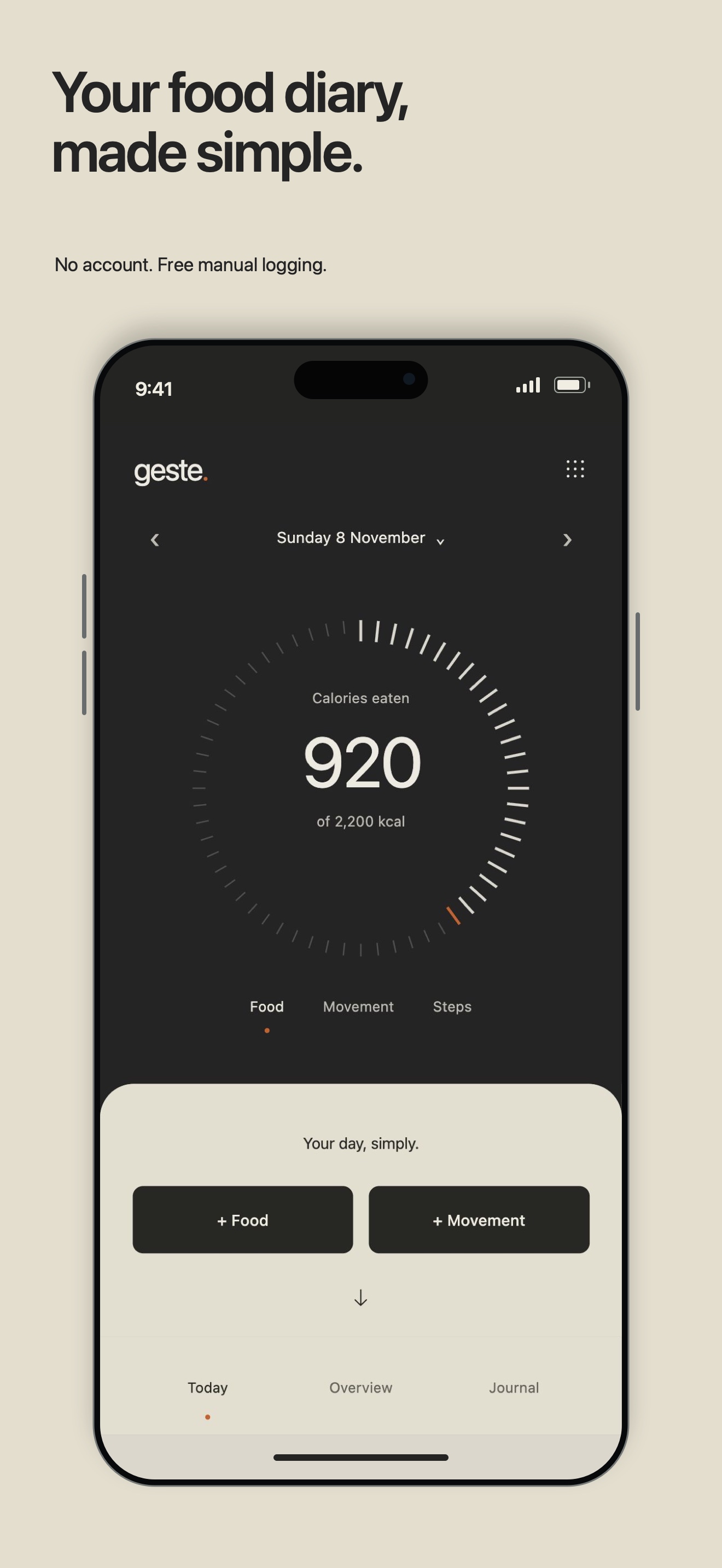
How do you log meals and calories?
In Geste, tap + Food, then open “Estimate from database”. Give your meal a name. A short description is enough to get started.
If you know the nutritional values, enter the calories. Protein, carbohydrates and fat are optional. You can also look up foods in the local database.
How do you calculate calories for a portion?
Review the ingredients and amounts before saving. If a portion or value does not match your meal, edit it. You decide what goes into your diary.
Open “Saved and recent meals”, choose Saved or Recent, then tap Use on the meal you want. Adjust the portion or values before saving, without entering everything again.
For a packaged food, use the label and the amount you eat. Multiply the calories per 100 g by the portion weight, then divide by 100. For example, a food labelled 160 kcal per 100 g gives 240 kcal for a 150 g portion: 160 × 150 ÷ 100. This is an illustrative calculation, not a food database entry.
Use the same calculation for protein, carbohydrate and fat. Keep the basis consistent: if the values are for cooked food, use the cooked weight. For a meal with several ingredients, add each ingredient’s contribution, including any oil or sauce, then enter the total.
Track protein, carbs and fat.
Each meal can include protein, carbohydrates and fat in grams. Enter the values you know or review those from the food database. Overview brings together the nutrients in your logged meals over a week or month.
You can set an optional protein target in “Your goals”. If some meals have no nutritional values, the total is incomplete: an empty field does not mean zero. Manual macro tracking is free. Geste Pro adds estimates from a description or photo, which you can review and correct before saving.
Look back at meals and calories.
Use the date to visit another day or add a meal you forgot to log. Overview brings together the meals and nutrients you have recorded over a week or month.
Goals are optional. A day without entries only means nothing was recorded. Your diary reflects what you log, rather than measuring everything you eat.
No account needed. Manual logging works offline.
Manual entries and the local food database work without an internet connection. Your meals, photos and notes stay on your device. Geste has no mandatory account or cloud backup service of its own.
Back up your iPhone before changing devices or deleting the app. You can edit or delete the entries you have saved.
What about estimating calories from a photo?
Geste Pro can estimate a meal from a description or photo. This feature needs an internet connection and a subscription. Results are approximate: check the ingredients, portions and values before saving.
With your consent, only the meal description and selected photo are sent for estimation. You can keep logging meals with the free features without using AI. Calorie estimates are not medical advice.
Geste Pro costs €3.99 per month or €29.99 per year, with 200 estimates per calendar month. Eligible subscribers can try it free for 7 days. Subscriptions renew automatically unless cancelled. Prices may vary by region; Apple shows the applicable price and terms before purchase.
Explore Geste Pro and its terms ↗